
Artificial Intelligence AI is transforming UI/UX design workflows in 2025 with intelligent tools that speed up creativity, personalization, and decision-making. The role of designers is evolving as AI helps craft interfaces that respond intuitively to user needs.
At 18Pixels Technologies, we believe AI-powered design is not replacing creativity—it’s amplifying it. Let’s explore how AI is redefining modern UI/UX workflows this year.
AI-Driven Personalization and User Insights
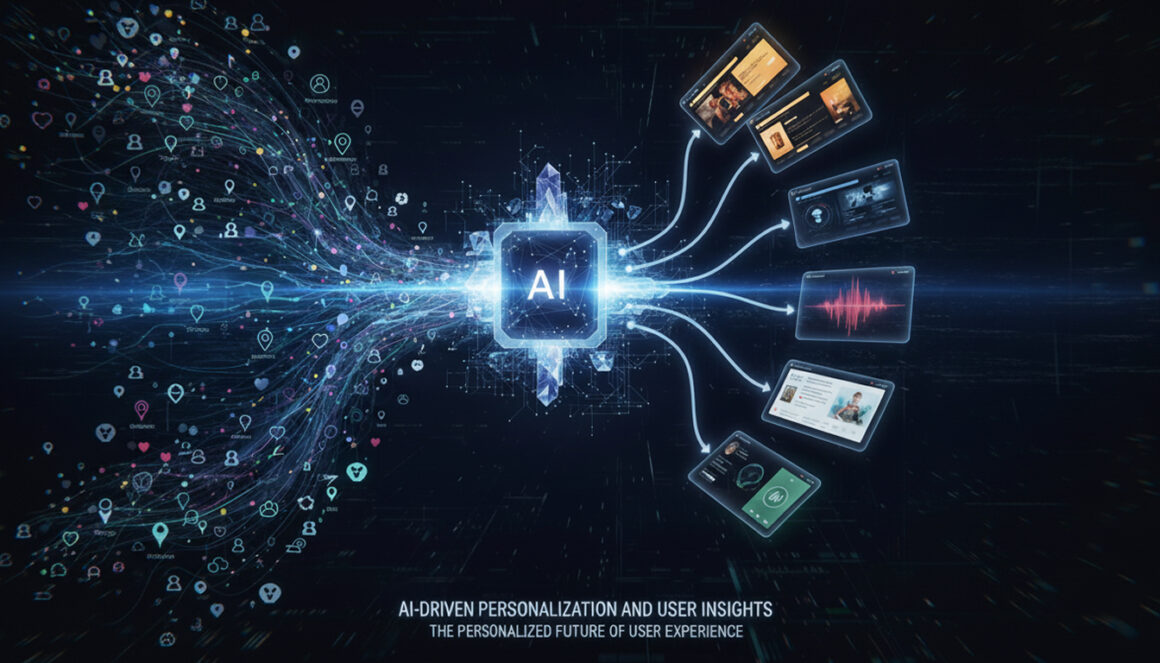
AI is transforming UI/UX design workflows in 2025 through hyper-personalized interfaces. Advanced machine learning models analyze large datasets to understand user behavior, preferences, and emotions. Designers can now use predictive analytics to shape experiences that adapt in real time—delivering precisely what users expect before they even ask.
Intelligent Automation for Faster Prototyping
AI enhances prototyping by automating repetitive tasks such as layout generation, font pairing, and color scheme suggestions. Tools like Figma’s AI Design Assistant and Adobe Firefly are enabling designers to turn sketches into functional prototypes within minutes, dramatically reducing project timelines.

Data-Backed Decision Making
Gone are the days of guesswork in design iterations. AI-powered analytics tools interpret user interactions, providing data that guides UX improvements. From A/B testing to heatmap analysis, automation ensures every design element serves a measurable purpose.
Generative Design Innovation
One of the most exciting advances in 2025 is generative design. AI algorithms generate multiple design variations based on predefined objectives—accessibility, aesthetics, or performance. This allows designers to explore diverse creative directions instantly while focusing their expertise on refinement and storytelling.
The Human-AI Collaboration
The future of design isn’t just digital—it’s collaborative. While AI automates technical aspects, human designers bring emotion, strategy, and meaning. This balance between automation and artistry ensures that AI remains a creative partner, not a competitor.
AI is transforming UI/UX design workflows in 2025 by making them smarter, faster, and more user-focused. At 18Pixels, our team leverages AI-driven tools to build intuitive digital products that connect brands with audiences effortlessly.

Want to revolutionize your digital design with AI? Visit
FAQs
No, AI will not replace designers. Instead, it enhances their work by automating repetitive tasks, freeing up time for strategic creativity and problem-solving.
AI leverages behavioral data to tailor layouts and content dynamically, allowing interfaces to adapt in real time to each user’s preferences and actions.
AI can analyze vast behavioral datasets and make predictions, but human intervention remains essential for fine-tuning and editing these suggestions for optimal results.
E-commerce, healthcare, fintech, and entertainment are leading the way, using AI for customized experiences, predictive interactions, and accessibility enhancements.
AI-powered tools can auto-caption content, enable voice control, and dynamically adjust fonts to accommodate various accessibility needs.
Proactive UX uses AI to anticipate user needs, solve potential problems before they occur, and deliver experiences that feel intuitive and seamless.
Tools like Figma, Visily, and Uizard use AI to analyze sketches, suggest layouts, generate wireframes, and enable rapid, repeatable iterations for faster project delivery.
No, AI-driven interfaces adjust in real time based on user intent and engagement patterns, making user experiences unique and personalized.
Begin by adopting AI-enabled design tools, training teams on machine learning basics, and gradually leveraging AI for data-driven decisions, prototyping, and user research.
Don’t stop here—discover more in our latest blog –
Why n8n Automation Is the Future for Growing Businesses
Cloud ERP vs On-Premise ERP: Which One Is Better for Automation?
API-First Development: The Blueprint for Modern Software Architecture
Payment Gateway Failures: How to Stop Losing 42% of Failed Payment Customers
Post Views: 1044