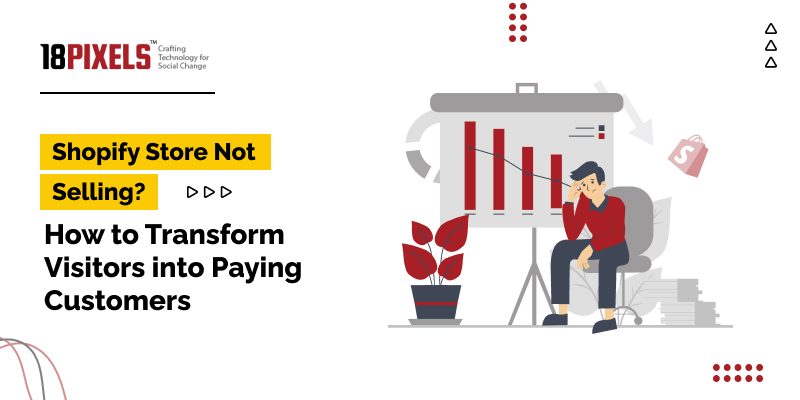

Is your Shopify store not selling even though you’re getting traffic? If your Shopify store not selling feels like a mystery, the real issue is usually conversion – turning visitors into paying customers.
In this guide, you’ll learn exactly how to diagnose why your Shopify store isn’t making sales and how to systematically transform casual visitors into loyal, paying customers.
1. Understand Why Your Shopify Store Is Not Selling
Before fixing anything, you need to know what’s broken. Common reasons a Shopify store gets traffic but no sales:
- Unclear value proposition (visitors don’t “get” what you sell in 5 seconds)
- Low trust (no reviews, no social proof, no brand story)
- Poor product pages (weak copy, bad images, missing info)
- Complicated checkout process
- Wrong traffic (people who aren’t actually interested in buying)
- No urgency or reason to buy now
Key metrics to check in Shopify & analytics
- Conversion rate (target: 2–4%+ for most niches)
- Add-to-cart rate (if low, product page issue; if high but no purchase, checkout/trust issue)
- Cart abandonment rate
- Top landing pages and their bounce rates
These numbers will show you whether the problem is your product offer, product pages, or checkout process.
2. Optimize Your Homepage to Convert Visitors
Your homepage often makes or breaks the first impression, especially when your Shopify store is not selling.
What your homepage must clearly show in 5 seconds
- Who you are
- What you sell
- Why it’s different/better
- What the visitor should do next
Homepage optimization checklist
- Clear hero section:
- Headline: benefit-driven, not just “Welcome to Our Store”
- Example: “Premium Organic Skincare That Fixes Dry Skin in 7 Days”
- Strong call-to-action (CTA):
- “Shop Bestsellers”, “Start Your Free Trial”, “Get 20% Off Today”
- Featured products/collections: Show bestsellers, not everything
- Social proof: Reviews, logos, “Trusted by 10,000+ customers”
- Trust badges: Secure checkout, money-back guarantee, shipping info
- Mobile-friendly design: Most Shopify traffic is now mobile
When your homepage clearly directs visitors toward a best-selling product or collection, your conversion rate almost always improves.
3. Fix Product Pages So They Actually Sell
If your Shopify store is not selling but getting traffic, product pages are usually the main culprit.
Essential elements of a high-converting product page
- Compelling product title
- Include key benefits + keyword
- Example: “Waterproof Travel Backpack – Lightweight Carry-On for Digital Nomads”
- High-quality images & video
- Multiple angles, zoom, lifestyle photos, size comparison
- Short product video showing use in real life
- Benefit-driven description (not just features)
Structure your copy:- Problem → Agitation → Solution (your product)
- Features → Benefits → Proof
- Example:
- Feature: “Waterproof zippers”
- Benefit: “Keeps your tech safe even in heavy rain”
- Clear pricing & offers
- Visible price, any discount, and savings
- Display “You save $X” or “Save 20% today”
- Social proof
- Reviews, star ratings, customer photos
- FAQs answering real objections (shipping time, sizing, guarantee)
- Urgency & scarcity
- Limited-time discounts
- “Only X left in stock” (if genuine)
- Countdown timers for special offers
- Conversion-boosting extras
- Money-back guarantee (e.g., 30-day risk-free)
- Free shipping threshold (e.g., “Free shipping over $50”)
- Clear delivery estimates
4. Simplify Your Checkout to Reduce Abandonment
Many store owners say “my Shopify store is not selling” when in reality, people tried to buy but gave up at checkout.
Steps to make checkout frictionless
- Enable Shopify’s one-page or accelerated checkout (Shop Pay, Apple Pay, Google Pay)
- Remove unnecessary fields (only collect what you truly need)
- Offer guest checkout (don’t force account creation)
- Show security & trust badges on the checkout page
- Be transparent about shipping costs early (no surprise fees at the final step)
Also, test your entire checkout process on mobile yourself – any point where you feel annoyed is a point where customers are dropping off.

5. Get the Right Traffic: Not All Visitors Are Equal
You can fix everything on-site, but your Shopify store not selling problem may still remain if your traffic is low quality.
High-intent traffic sources
- Google Search (SEO & Google Ads) – People actively searching for what you sell
- Pinterest – Great for eCommerce niches like fashion, decor, beauty, DIY
- Influencer & UGC marketing – Warm audiences that trust the creator
- Email marketing – People who already know your brand
Low-intent or poorly targeted traffic
- Cheap, broad Facebook/Instagram ads with no clear audience
- Untargeted social media traffic
- “Clickbait” content that doesn’t match your products
Focus your efforts on fewer but better-qualified visitors rather than more random traffic.
6. Use SEO to Bring Consistent, Free Buyers
Since your topic is “Shopify store not selling”, SEO can help attract people who are literally searching for how to fix this problem – and for the products you sell.
High-search-volume keyword ideas for Shopify stores (general eCommerce)
You can adapt these to your niche:
- “best [product type] for [problem]”
- “[product type] for [audience]” (e.g., “skincare for acne-prone skin”)
- “buy [product type] online”
- “[product type] free shipping”
- “Shopify store not selling” (for your blog/brand content)
- “how to start Shopify store”
- “why is my Shopify store not selling”
On-page SEO checklist for product & collection pages
- Use your main keyword in:
- Page title
- H1 heading
- First paragraph of the description
- 1–2 subheadings (where natural)
- Image alt tags
- Meta description (compelling, benefit-driven)
- Make URLs clean and descriptive:
- /collections/waterproof-backpacks
- /products/organic-vitamin-c-serum
- Add related FAQs at the bottom of product pages:
- Helps with SEO and conversions
- Tailor them to real customer questions
7. Add Social Proof & Trust Elements Everywhere
When a Shopify store is not selling, it often lacks one thing: trust.
Types of social proof that increase sales
- Verified product reviews and ratings
- Customer photos and videos
- “As seen in” logos or press mentions
- Influencer testimonials or case studies
- Real numbers: “10,000+ orders shipped”, “4.8/5 average rating”
Trust builders to include
- Clear “About Us” page with brand story and mission
- Transparent return & refund policy
- Detailed shipping policy (with timelines)
- Contact information: email, chat, social accounts, possibly phone
The more real, human, and established you look, the more comfortable visitors feel buying from you.
8. Recover Lost Sales with Email & Abandoned Cart Flows
You can transform a Shopify store not selling into a profitable one just by recovering carts and following up properly.
Must-have email flows
- Abandoned cart flow
- Email 1: Reminder (1–3 hours after abandon)
- Email 2: Social proof + FAQ (12–24 hours later)
- Email 3: Limited-time offer/discount (24–72 hours later)
- Welcome series
- Sent after someone joins your email list
- Tell your brand story, share bestsellers, and give a first-purchase incentive
- Post-purchase sequence
- Thank-you email + order summary
- Usage tips, how-to content
- Review request after delivery
- Cross-sell & upsell recommendations
Even simple, well-written emails can give a big lift in total revenue.
9. Improve Average Order Value (AOV) to Maximize Each Visitor
Sometimes your Shopify store not selling enough isn’t about number of orders – it’s about order size. Increasing AOV can transform your profit.
Simple ways to increase AOV
- Upsells & cross-sells
- “You might also like” on product pages & in cart
- Bundles: “Buy 2, Get 1 Free”, “Starter Kit”, “Full Set”
- Volume discounts
- “Buy 2, Save 10%”
- “Buy 3, Save 20%”
- Free shipping threshold
- “Free shipping over $50” – customers often add more to reach it
- Post-purchase upsells
- One-click offer after checkout: an accessory or add-on at a small discount
10. Run A/B Tests Instead of Guessing
To truly transform a Shopify store not selling into a conversion machine, test instead of assuming.
Elements worth A/B testing
- Homepage hero headline & CTA
- Product page images (model vs flat lay, lifestyle vs studio)
- Button text: “Buy Now” vs “Add to Cart” vs “Get Yours Today”
- Price anchoring (showing “compare at” price vs only one price)
- Free shipping threshold amount
- Different product descriptions (long-form vs short bullet style)
Run tests one change at a time so you know exactly what improved (or hurt) results.
11. Create Content That Supports Sales (Blogs, Guides, Videos)
Content can bring traffic and warm up visitors who aren’t ready to buy immediately.
Content ideas related to “Shopify store not selling” and eCommerce
- “10 Reasons Your Shopify Store Is Not Selling (And How to Fix It)”
- “[Product Type] Buying Guide: How to Choose the Best [Product] for [Use Case]”
- “How We Increased Our Shopify Conversion Rate from 1% to 3%”
- “Behind the Brand: Why We Started [Brand Name]”
Use these to:
- Attract traffic via SEO
- Educate visitors
- Build trust and authority
- Funnel readers to your product or collection pages
12. Step-by-Step Action Plan to Transform Visitors into Paying Customers
Here is a simple, prioritized roadmap if your Shopify store is not selling:
| Step | Focus Area | What to Do First |
| 1 | Analytics | Check conversion rate, add-to-cart, and cart abandonment |
| 2 | Product Pages | Improve images, descriptions, reviews, FAQs, and CTAs |
| 3 | Homepage | Clarify your offer and add strong CTAs & social proof |
| 4 | Checkout | Simplify steps, enable guest checkout, show trust & shipping info |
| 5 | Email Flows | Set up abandoned cart, welcome, and post-purchase sequences |
| 6 | Traffic Quality | Refine ads, focus on high-intent channels like search & influencers |
| 7 | AOV Optimization | Add bundles, upsells, and free shipping thresholds |
| 8 | SEO & Content | Optimize key pages and publish helpful, keyword-rich content |
| 9 | Testing & Iteration | A/B test headlines, offers, images, and pricing |
Work through these steps one by one. Each improvement may add a small percentage lift – combined, they can completely change how your Shopify store performs.
If your Shopify store not selling issue is stressing you out, remember: low sales are usually a system problem, not a product death sentence. By:
- Clarifying your offer
- Fixing product pages
- Building trust and social proof
- Simplifying checkout
- Improving traffic quality and follow-up
…you can turn casual visitors into consistent, paying customers.
Ready for a Shopify Store That Sells?
If you’re serious about making your Shopify store sell more, stand out in your niche, and create hassle-free growth, contact 18Pixels Shopify Experts today. Here’s how you can get started:
- Schedule a Free Consultation:
Talk to certified Shopify specialists who will audit your store, identify conversion blockers, and create a precise action plan tailored for your brand. - Visit 18Pixels Shopify Expert Services:
- https://www.18pixels.com/shopify-expert
- Get Support from Launch to Scale:
With 18Pixels, you’re never alone. From the first idea to ongoing optimization, their team is your partner in growth and e-commerce success.
Don’t stop here—discover more in our latest blog –
Full-Stack Web Development in 2025: Technologies Every Business Should Know
Mobile-First or Mobile-Last? Why 62% of Your Traffic Demands a Mobile-Optimized Website
Gramik eCommerce Case Study: How an Agri-Tech Ecommerce Platform Scaled Rural Commerce With Farmer Intelligence & Logistic Integration
Post Views: 1077